|
Thanks for the Memories!
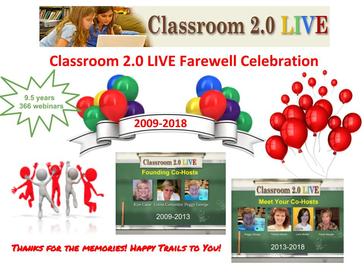
Thank you all for being such faithful followers and supporters of Classroom 2.0 LIVE. We will treasure all of the memories! Although our live webinars are being discontinued, we strongly encourage you to continue viewing and sharing all of the videos and Livebinder resources in our Archives. An additional bonus is that if you view a recording you can submit a request for a PD certificate by completing the survey found in every Livebinder. Our fantastic certificate creator, Patti Ruffing, will continue to honor these requests and provide certificates through the end of the 2018 school year.
Kudos and huge thanks to our team who have worked tirelessly to provide these fantastic learning experiences for everyone! Founding Co-Moderators: Peggy George, Kim Caise, Lorna Costantini Current Co-Moderators: Peggy George, Lorie Moffat, Tammy Moore, Paula Naugle Advisory Team: Peggy George, Paula Naugle, Patti Ruffing, Maureen Tumenas, Kim Thomas, Susie Highley, Peg Volak, Wes Fryer, Jessie McKinley, Carolyn Stanley, and our faithful image creator, Melissa Getz And very special thanks to our Founder, mentor, encourager, advocate, adviser, and source of our inspiration, STEVE HARGADON! Link to join the session: http://tinyurl.com/cr20live Full link: https://sas.elluminate.com/m.jnlp?sid n=2008350&password=M.438D554F4A450D77B901E14104C303 NOTE: When you click on the link to log in, enter your OWN full name in the box so we will know who you are (not the topic of the webinar). Show Times: 9:00am Pacific/10:00am Mountain 11:00am Central/12:00pm Eastern Time Zone Converter Check for correct time in your area using the Time Zone Converter link. Twitter hashtag: #liveclass20 Classroom 2.0 LIVE is an opportunity to gather with other members of the community in real-time events, complete with audio, chat, desktop sharing, and sometimes even video. You are invited to join us for our weekly Saturday show with co-hosts Peggy George, Lorie Moffat, Tammy Moore and Paula Naugle!
The show lasts an hour, and links for more information and accessing the Blackboard Collaborate room can be found below and on the Using Collaborate page. We strive to make our shows very beginner-friendly, and if you've never participated in a live web meeting, don't be afraid to come and take a peek at the show's format. We would love for newbies to join us and 'dip their toes' in the conversations until you feel comfortable enough to 'jump in the conversations with both feet'! We want to encourage "experienced Web 2.0 users" to join us to contribute and extend the conversation by providing real-life examples and tips/suggestions. Show Format: Weekly sessions will typically include the following: 1. A specific topic will be discussed each week with a special guest presenter, so you can be prepared to bring links, ideas, tools you'd like to share. Once a month the special guest will be a "Featured Teacher" who will share ways he/she is using technology to support learning in their classroom. 2. The "Newbie Question of the Week" (introduction to topic) 3. Announcements of upcoming shows on Classroom 2.0 LIVE. 4. A Livebinder is created for every show that includes all of the links shared by the presenter and participants during the webinar. If you would like to know more about how to access our shows or how to navigate and find things on our website be sure to check out our monthly Livebinders. Click on the tab for "Classroom 2.0 LIVE Resources" and view the screencasts. Example Livebinder: (March 2018) http://www.livebinders.com/play/play?id=2340078 |
Please watch the orientation video
Learn how to participate
Classroom 2.0 Live
|