Date:Saturday January 16, 2016
Time:9:00amPT/10:00amMT/
11:00amCT/12:00pm ET
Location: Blackboard Collaborate
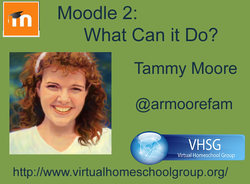
We are excited to be hearing from our own Tammy Moore, amazing Classroom 2.0 LIVE co-host who provides our closed captioning every week! Tammy is a Moodle guru and has so much great information to share with us!
Tammy’s webinar description:
What happens when the open source world decides to build a tool for teachers? MOODLE! I am a teacher and 11-year Moodle-user. Newbies and veterans alike will get some great take-aways as we tour through Moodle 2.9 and take a look at all the tools and time-savers for teachers and great support for students built right in.
Learn how you can create computer-scored quizzes with custom feedback per answer, hints with penalties, and the ability to allow the student to replace a question after the attempt and feedback with another question of the same type. Have it all go to your grade book automatically.
If you are interested in flipped or at your own pace learning, we will talk about how you can optimize your course design in Moodle to make it easier for students, parents, and teachers to track student progress.
Learn how to dig into the data to get statistics to quickly find problem questions that may need a little tweaking and find students that are disengaged; struggling, or needing some extra challenge.
Through it all, keep it mobile-friendly and fun.
Blackboard Collaborate( full recording):
https://sas.elluminate.com/site/external/jwsdetect/playback.jnlp?psid=2016-01-16.0914.M.ACE02B5F35AA7E7975F015AAC6F794.vcr&sid=2008350
Tiny URL for Full Recording:
http://hnyctt.me/cr20live-TammyMoore-Moodle2-1-16-16
Recording Chat: http://wiki.classroom20.com/January16_2016
Audio Recording (mp3):
Time:9:00amPT/10:00amMT/
11:00amCT/12:00pm ET
Location: Blackboard Collaborate
We are excited to be hearing from our own Tammy Moore, amazing Classroom 2.0 LIVE co-host who provides our closed captioning every week! Tammy is a Moodle guru and has so much great information to share with us!
Tammy’s webinar description:
What happens when the open source world decides to build a tool for teachers? MOODLE! I am a teacher and 11-year Moodle-user. Newbies and veterans alike will get some great take-aways as we tour through Moodle 2.9 and take a look at all the tools and time-savers for teachers and great support for students built right in.
Learn how you can create computer-scored quizzes with custom feedback per answer, hints with penalties, and the ability to allow the student to replace a question after the attempt and feedback with another question of the same type. Have it all go to your grade book automatically.
If you are interested in flipped or at your own pace learning, we will talk about how you can optimize your course design in Moodle to make it easier for students, parents, and teachers to track student progress.
Learn how to dig into the data to get statistics to quickly find problem questions that may need a little tweaking and find students that are disengaged; struggling, or needing some extra challenge.
Through it all, keep it mobile-friendly and fun.
Blackboard Collaborate( full recording):
https://sas.elluminate.com/site/external/jwsdetect/playback.jnlp?psid=2016-01-16.0914.M.ACE02B5F35AA7E7975F015AAC6F794.vcr&sid=2008350
Tiny URL for Full Recording:
http://hnyctt.me/cr20live-TammyMoore-Moodle2-1-16-16
Recording Chat: http://wiki.classroom20.com/January16_2016
Audio Recording (mp3):
Video Recording (mp4)
Follow-up Reading/Viewing Suggestions: (links shared by participants during the session have been added to this list and also to the Livebinder)
Livebinder Link: http://www.livebinders.com/play/play?id=1911881
(Note: Click on tab for "Tammy Moore: Moodle 2" in the Livebinder)
http://www.virtualhomeschoolgroup.org/ (Tammy’s Virtual Home School website)
Tammy’s personal website: http://justabitmoore.weebly.com/
http://justabitmoore.weebly.com/moodle-2.html (Moodle 2 information by Tammy Moore)
https://docs.moodle.org/29/en/New_features (New features on Moodle 2.9)
https://docs.moodle.org/29/en/Main_page (Moodle 2.9 documentation and features)
http://www.virtualhomeschoolgroup.com/course/view.php?id=36 (Tammy’s online course and videos for teachers for Moodle 1.9)
http://www.virtualhomeschoolgroup.com/course/view.php?id=237 (Tammy’s online course and videos for Blackboard Collaborate v. 12)
http://school.demo.moodle.net/ (Official Moodle demo site - resets at the top of the hour)
https://moodle.org/ (Moodle.org website)
https://moodle.com/cloud/ Moodle Cloud - Moodle.orgs official free Moodle hosting
http://openhighschoolcourses.org/ Free open courses to download and add to your Moodle
Teachers Pay Teachers https://www.teacherspayteachers.com/Browse/Search:Moodle
Moodle MOOCs - MOOCs - https://learn.moodle.net/ (next one Jan 17, new one about every two months)
https://youtu.be/JsUz1DMg-24 (Video: Moodle 2.9 Release Highlights Overview)
https://youtu.be/8evRvfl_qLo (Video: Moodle 2.9 Release Highlights-Quiz)
http://www.freemoodle.org/ (Free Moodle: Moodle hosting for completely free Moodle courses. Courses here require collaboration between educators.)
http://evosessions.pbworks.com/w/page/103559895/2016_Moodle_for_Teachers (Free Moodle for Teachers 5-week course organized by Dr. Nellie Deutsch with multiple moderators)
Closing Slides:
http://studenttechnologyconference.com/ (2016 Student Technology Conference: The second annual Student Technology Conference, a free one-day online event bringing together students, educators and innovators from around the world, will be held Saturday, January 30, 2016 from 9 Am to 9 Pm EST. We invite all to attend!)
http://learningrevolution.com (The Learning Revolution Network created by Steve Hargadon. We now have Host Your Own Webinars again! If you would like to schedule a free public webinar on Blackboard Collaborate sign up on this site.)
http://learningrevolution.com/page/host-your-own-webinar (Host Your Own Webinar
details)
http://tinyurl.com/CR20LIVEFeaturedTeacherNominat (Nominate a Featured Teacher for our shows--you can nominate yourself too if you’d like to present for us)
http://tinyurl.com/cr20livesurvey (Classroom 2.0 LIVE survey link to request PD certificates for live or recorded webinars)
Links added during chat have been added to the Livebinder:
https://www.godaddy.com/ (GoDaddy Server)
http://www.virtualhomeschoolgroup.org/vhsgfiles/ (Index of VHSG files)
http://evosessions.pbworks.com/w/page/10708567/FrontPage (Electronic Village Online courses: free 5-week courses)
http://techterms.com/definition/moodle (What does MOODLE mean?)
https://moodle.org/news/ (Tiziana Angiolini (Italy): If you are interested they are starting a free session about moodle 2.9)
Follow-up Reading/Viewing Suggestions: (links shared by participants during the session have been added to this list and also to the Livebinder)
Livebinder Link: http://www.livebinders.com/play/play?id=1911881
(Note: Click on tab for "Tammy Moore: Moodle 2" in the Livebinder)
http://www.virtualhomeschoolgroup.org/ (Tammy’s Virtual Home School website)
Tammy’s personal website: http://justabitmoore.weebly.com/
http://justabitmoore.weebly.com/moodle-2.html (Moodle 2 information by Tammy Moore)
https://docs.moodle.org/29/en/New_features (New features on Moodle 2.9)
https://docs.moodle.org/29/en/Main_page (Moodle 2.9 documentation and features)
http://www.virtualhomeschoolgroup.com/course/view.php?id=36 (Tammy’s online course and videos for teachers for Moodle 1.9)
http://www.virtualhomeschoolgroup.com/course/view.php?id=237 (Tammy’s online course and videos for Blackboard Collaborate v. 12)
http://school.demo.moodle.net/ (Official Moodle demo site - resets at the top of the hour)
https://moodle.org/ (Moodle.org website)
https://moodle.com/cloud/ Moodle Cloud - Moodle.orgs official free Moodle hosting
http://openhighschoolcourses.org/ Free open courses to download and add to your Moodle
Teachers Pay Teachers https://www.teacherspayteachers.com/Browse/Search:Moodle
Moodle MOOCs - MOOCs - https://learn.moodle.net/ (next one Jan 17, new one about every two months)
https://youtu.be/JsUz1DMg-24 (Video: Moodle 2.9 Release Highlights Overview)
https://youtu.be/8evRvfl_qLo (Video: Moodle 2.9 Release Highlights-Quiz)
http://www.freemoodle.org/ (Free Moodle: Moodle hosting for completely free Moodle courses. Courses here require collaboration between educators.)
http://evosessions.pbworks.com/w/page/103559895/2016_Moodle_for_Teachers (Free Moodle for Teachers 5-week course organized by Dr. Nellie Deutsch with multiple moderators)
Closing Slides:
http://studenttechnologyconference.com/ (2016 Student Technology Conference: The second annual Student Technology Conference, a free one-day online event bringing together students, educators and innovators from around the world, will be held Saturday, January 30, 2016 from 9 Am to 9 Pm EST. We invite all to attend!)
http://learningrevolution.com (The Learning Revolution Network created by Steve Hargadon. We now have Host Your Own Webinars again! If you would like to schedule a free public webinar on Blackboard Collaborate sign up on this site.)
http://learningrevolution.com/page/host-your-own-webinar (Host Your Own Webinar
details)
http://tinyurl.com/CR20LIVEFeaturedTeacherNominat (Nominate a Featured Teacher for our shows--you can nominate yourself too if you’d like to present for us)
http://tinyurl.com/cr20livesurvey (Classroom 2.0 LIVE survey link to request PD certificates for live or recorded webinars)
Links added during chat have been added to the Livebinder:
https://www.godaddy.com/ (GoDaddy Server)
http://www.virtualhomeschoolgroup.org/vhsgfiles/ (Index of VHSG files)
http://evosessions.pbworks.com/w/page/10708567/FrontPage (Electronic Village Online courses: free 5-week courses)
http://techterms.com/definition/moodle (What does MOODLE mean?)
https://moodle.org/news/ (Tiziana Angiolini (Italy): If you are interested they are starting a free session about moodle 2.9)
 RSS Feed