Picture

Video Recording

Follow-up Reading/Viewing Suggestions:  (links shared by participants during the session have been added to this list and also to the Livebinder)

LiveBinder Link:
https://www.livebinders.com/play/play?id=770153


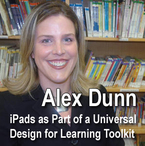
(Note: Click on tab for "Alex Dunn-iPads for UDL" in the LiveBinder)

https://docs.google.com/presentation/d/1bmIMpu4LaOKIB8UcMzQ646WzgNTgu15fU-K1IVbf6-g/edit#slide=id.g9b178564_2_362 (Slides for Alex Dunn’s presentation today)
https://twitter.com/smartinclusion
http://smartinclusion.wikispaces.com/Smart+Inclusion+Home (Smart inclusion Wiki)
http://tecplus.org/articles/article/9/0 (Article by Alex Dunn and Luis Perez in Teaching Exceptional Children Plus on iPads as Part of the UDL Toolkit)
http://www.ucdsb.on.ca/Pages/default.aspx (Upper Canada District School Board website)
http://smartinclusion.wikispaces.com/What+is+Smart+Inclusion%3F (What is Smart inclusion?)
http://edcompassblog.smarttech.com/archives/9426 (Alex Dunn: SMART Exemplary Advocate for Accessibility)
http://snow.idrc.ocad.ca/node/244  (Promoting Participation and Engagement: The Smart Inclusion Initiative - Part 1: Data from the Smart Inclusion Initiative by Alex Dunn, SLP and Alison Inglis, Ph.D.)
http://edcompassblog.smarttech.com/tag/alex-dunn (SMART Tech articles by Alex Dunn)
http://setsig.iste.wikispaces.net/Professional+Development (ISTE Special Education SIG monthly webinars)
http://inclusioneers.com/ (Inclusioneers: Alex Dunn, President)
http://udltechtoolkit.wikispaces.com/ (UDL Toolkit)
http://www.cast.org/udl/index.html (CAST: What is UDL?)
http://www.cast.org/learningtools/lesson_builder/index.html (UDL Lesson Builder)
https://itunes.apple.com/us/app/toontastic-free/id404693282?mt=8 (Toontastic iPhone/iPad app)
http://mobilelearning4specialneeds.wikispaces.com/ and http://www.youtube.com/user/lfperez72?feature=watch (Luis Perez, Apple Distinguished Educator and Accessibility Advocate - Tutorials on Accessibility Features)
http://www.edu.uwo.ca/inclusive_education/ (Centre for Inclusive Education Research)
http://www.wordle.net/ and http://www.abcya.com/word_clouds.htm (Great sites for creating word clouds)
https://www.youtube.com/user/inclusioneers (Alex Dunn’s YouTube Channel)
http://www.janefarrall.com/ (Jane Farrall, Speech Language Pathologist’s resource site and home of Alex and Jane’s Switch Accessible Apps List)
http://www.spectronicsinoz.com/article/iphoneipad-apps-for-aac (Jane Farrall’s iPhone/iPad Apps for AAC)
http://spedapps2.wikispaces.com/ (Spedapps2 Wiki: Applications of Applications for Special Population)
http://www.reflectorapp.com/ and http://www.airserverapp.com/ (Apps for the computer - both PC and MAC that allow mirroring of the iPad) http://edudemic.com/2012/09/5-critical-mistakes-schools-ipads-and-correct-them/ 5 Critical Mistakes 5 Critical Mistakes Schools Make With iPads (And How To Correct Them)
https://itunes.apple.com/ca/app/smart-notebook-app-for-ipad/id554245373?mt=8 (SMART Notebook App)
https://itunes.apple.com/ca/app/ibooks/id364709193?mt=8 (iBooks App)
https://itunes.apple.com/ca/app/doodle-buddy-paint-draw-scribble/id313232441?mt=8 (Doodle Buddy App)
https://itunes.apple.com/ca/app/corkulous-pro/id367779315?mt=8 (Corkulous App)
https://itunes.apple.com/ca/app/skitch/id490505997?mt=8 (Skitch app)
https://itunes.apple.com/us/app/scene-heard/id423528276?mt=8 (Scene and Heard App)
https://itunes.apple.com/ca/app/soundingboard/id390532167?mt=8 (Sounding Board App)
https://itunes.apple.com/ca/app/puppet-pals-hd/id342076546?mt=8 (Puppet Pals App)
https://itunes.apple.com/ca/app/sock-puppets/id394504903?mt=8 (Sock Puppets App)
https://itunes.apple.com/ca/app/screenchomp/id442415881?mt=8 (Screen Chomp App)
https://itunes.apple.com/en/app/imovie/id377298193?mt=8 (iMovie App)
https://itunes.apple.com/ca/app/lego-life-of-george/id463288121?mt=8 (LEGO Life of George App)
https://smartinclusion.wikispaces.com/iPads.ASD+Research (iPads as Part of the UDL Toolkit to Support Students with Autism =  Research and Apps)
https://smartinclusion.wikispaces.com/Smart+Inclusion+Articles (Articles published in magazines, newspapers, online journals and peer-reviewed journals on Smart Inclusion)
https://twitter.com/iAmMaccing (Christopher Hills on Twitter @IamMaccing)
https://www.youtube.com/user/icdhills/videos?view=0&flow=grid (Christopher Hilts YouTube Channel including Why Touchscreens Scare Me)
http://www.youtube.com/watch?v=j4a_RSOJ7oQ (Kids iPad Band)

Links shared by participants in the chat log during the session:

http://usergeneratededucation.wordpress.com/2012/05/29/udl-and-the-flipped-classroom-the-full-picture/ (@jackiegerstein: UDL and The Flipped Classroom: The Full Picture:
n person" http://www.ted.com/talks/janine_shepherd_a_broken_body_isn_t_a_broken_p (TEDx"Janine Shepherd: A broken body isn’t a broken person")
http://universal-design-for-learning.wikispaces.com/6+UDL+%26+The+Brain
http://universal-design-for-learning.wikispaces.com/6+UDL+%26+The+Brain (UDL & The Brain)
http://www.shambles.net/pages/staff/ITSEN/ (@shamblesguru-ICT and Special Needs)
http://www.shambles.net/pages/learning/sen/mobile/ @shamblesguru-SEN on Mobile)
http://www.cast.org/teachingeverystudent/tools/classprofiletool.cfm (UDL Class Profile Maker Tool)
http://www.apple.com/accessibility/  (Apple’s Commitment to Accessibility)
http://mobilelearning4specialneeds.wikispaces.com/ (Mobile Learning 4 Special Needs wiki)
http://www.apple.com/accessibility/resources/iphone.html (Accessibility Solutions for iPhone, iPad, and iPod touch)
http://aneducatorsipad.com/ (@shamblesguru: I have just published a new iBook about the 1400 Apps on my iPad ... inc SEN ... called "Shamblesguru's iPad" ... it is a multimedia book including audio)
http://www.symplur.com/topic/assistive-technology/ (Assistive Technology Hashtags)
http://shambles.net/pages/learning/ict/manageidev/ (@Shamblesguru: Details on the different ways of mirroring the iPad screen to elsewhere)
http://learninginhand.com/ios/ (Tony Vincent: Learning in Hand iPad/iPhone/iPodTouch/iOS resources)
http://shambles.net/ICT/#mobile (@shamblesguru-Integrating iPads and other mobile devices in the classroom)
https://sites.google.com/site/hpusoeit/doodle-buddy---handrigan (DoodleBuddy resources)
https://itunes.apple.com/us/app/myscript-calculator/id578979413?mt=8 (Mike Bryant-Fan of My Script Calc)
http://www.shambles.net/pages/staff/intwhiteb/ (@shamblesguru-article about using the iPad as a White Board)
http://www.educreations.com (Educreations-can be done as an app or in browser)
http://www.youtube.com/watch?v=2r66JM5iL2M (@shamblesguru-
The first skill to learn wth an iPad ,,,, how to take a screen shot ... !!!!)
http://shamblesguruipad.posterous.com/screencasting-apps-on-shamblesgurus-ipad (@shamblesguru-iPad Screencasting Apps)
http://bit.ly/WHX0nL  (@shamblesguru-I've used the iPad Lego photo App to take a picture of myself ... here it is)
http://shambles.net/pages/learning/ict/manageidev/ (@shamblesguru-
Yes, there are Apple and Mac versions for mirroring)
http://shambles.net/pages/learning/ict/mresearch/ (@shamblesguru-
See the research about iPad use in the classroom)
http://www.shambles.net/pages/learning/ict/filestore/ (@shamblesguru-websites that offer file storage online)
http://www.belkin.com/us/p/P-F8Z274 (Rockstar by Belkin$14.99 - can hook 5 headset to one iPad or iPod)
http://www.amazon.com/LEGO-6000207-Life-Of-George/dp/B005UFAG1S/ref=sr_1_2?s=toys-and-games&ie=UTF8&qid=1359828918&sr=1-2&keywords=life+of+george (Life of George Toys and Games)
http://www.shambles.net/pages/learning/DandT_S/Robot/ (@shamblesguru-For lego robotics ...  Lego Mindstorms EV3)
http://www.amazon.com/Games-Apps-Life-George-21201/dp/B008GVG4AK/ref=pd_sim_t_1 (Games & Apps Life of George 21201-This one says 8+ and is $26.99)
http://twitter.com/shamblesuru  (@shamblesguru-I Tweet out free Apps most days ... they are Apps that are usually free for just one or two days)
http://launchpadtoys.com/content/launchpad-leaders/ (LaunchPad Leaders)
https://itunes.apple.com/us/app/toontastic-jr.-pirates-for/id579933458?mt=8 (Toontastic Jr. app)
http://toontube.launchpadtoys.com/29076 (Toontastic ToonTube example)
https://itunes.apple.com/us/app/toontube-kids-video-app/id460098241?mt=8 (ToonTube app)
https://itunes.apple.com/ca/app/skitch/id490505997?mt=8  (Skitch app)


Picture

Video Recording

Follow-up Reading/Viewing Suggestions:  (links shared by participants during the session have been added to this list and also to the Livebinder)


LiveBinder Link:
http://www.livebinders.com/play/play?id=718751
(Note: Click on tab for "Joe Dale-iPads for Learning" in the LiveBinder. Since there are so many links, the best view of the Livebinder is the "Tabs View." Use this link:
http://www.livebinders.com/play/play?tab_layout=side&id=718751#anchor

Download - http://snipurl.com/liveclass20-class2  (QR code on final slide for Dropbox download of all presentation slides)

Joe's presentation slides on Slideshare: http://www.slideshare.net/pgeorge/using-i-padstoenhanceteachingandlearningliveclassroom

http://joedale.typepad.com/
http://www.tes.co.uk/teaching-resources/
http://community.tes.co.uk/forums/28.aspx  (TES MFL Forum)
http://www.core-ed.org.uk/activities/ou-vital-2013-a-joint-project-with-open-university  (Open University’s Vital programme)
https://twitter.com/joedale
http://ipadineducation.co.uk/iPad_in_Education/Simplification.html (iPad=Simplified Technology for Learning)
http://www.guardian.co.uk/teacher-network/2012/aug/13/schools-secondary-schools (An Apple for the teacher: are iPads the future in class? pros/cons)
http://www.TPACK.ORG (TPACK-Technological, Pedagogical and Content Knowledge)
http://www.matt-koehler.com/tpack/using-the-tpack-image/  (Mishra & Koehler-2006-TPACK visual)
http://www.isc.co.uk/Resources/Independent%20Schools%20Council/Research%20Archive/Bulletin%20Articles/2012/Bulletin29_ICT.pdf (ICT as a catalyst for change in Pedagogy-Mark Steed and Laura Knight)
http://www.ipadinschools.com/349/ipad-app-creation-in-school (iPad Creation in Schools, apps and Bloom's Taxonomy)
http://www.schrockguide.net/bloomin-apps.html (Kathy Schrock-Bloomin’ Apps-get the most out of iPads when creating and producing and not just consuming)
http://langwitches.org/blog/2012/03/31/ipad-apps-and-blooms-taxonomy/ (Silvia Tolisano-iPad Apps and Bloom’s Taxonomy)
http://www.langwitches.org/downloads/pdf/iPad-activities.pdf (Silvia Tolisano-iPad Apps & Activities)
http://keldarichards.wordpress.com/2012/07/13/ict-for-education-conference/(quote from Kelda Richards, Lead Practitioner for Media Rich Learning, Isca College of Media Arts, April 2012)
"The introduction of iPads has engaged and enthused staff and learners. Whether teachers have access to one or thirty iPads they can make learning multi-dimensional, enabling students to move from effective research, to improving their presentation skills, and (most important of all) creating. With apps to cover every area of Bloom's Taxonomy iPads are helping to develop workplace skills."
http://ipadders.eu/apps-for-multiple-intelligences (Gardner's Multiple intelligences-learning strategies)
https://itunes.apple.com/app/eyeconit/id478802786?mt=8   (app icon scanner: with eyeconit you can get apps fast simply by scanning their icon. Get apps by pointing eyeconit at any app icon from another friend's iPhone, iPad or iPod, or from any internet site or magazine and get a link to download it from the AppStore.)
http://www.naace.co.uk/publications/longfieldipadresearch (iPad as a Tool for Education: A Case Study, Jan Webb, NAACE Research Papers)
http://www.agent4change.net/resources/research/1658  (Longfield Academy iPad case study)
http://www.agent4change.net/bett-week/news/1364 (iPads Changing the Game for Learning at Longfield)
http://www.teachthought.com/teaching/12-characteristics-of-an-ipad-ready-classroom (12 Characteristics of an iPad ready Classroom)
https://docs.google.com/document/d/1jkb3WbomL3RdFpsGCByalsPn_7hE79sPwL7MHBjTTrA/mobilebasic?pli=1  (Can you help me plan for iPad implementation? @dmchugh675)
http://www.cultofmac.com/175642/heres-how-guided-access-works-in-io6-6-video  (iOS 6 Comes with Guided Access for guiding students to provide access to specific apps selected by teacher)
http://digitalroadtrip.tumblr.com/post/25602693682  (Tip for collecting student work on iPads)
http://www.mguhlin.org/2012/08/7-ways-to-collect-student-work-in-ipad.html (Miguel Guhlin: 7 Ways to Collect Student Work in an iPad Classroom)
https://www.box.com/  (With Box you can email content to a specific folder using dropdown menu, copy email address and add it to your contacts for sending content to different classes-tip-using Mobile device you get 50gb free from David Baugh, ADE from England)
http://hammondschoolfrench.wikispaces.com/file/view/iPad+Responsible+Use+-+French+2012-13.pdf/357787004/iPad%20Responsible%20Use%20-%20French%202012-13.pdf  (Responsible Use in the 1:1 French Classroom-@msfrenchteach-Christie Vogel-good for any subject)
http://tweetchat.com/room/edapps (Good hashtag to follow for educational app suggestions)
http://tweetchat.com/room/ipaded  (Good hashtag to follow for educational app suggestions)
http://www.scoop.it/t/ipads-in-education-daily  (Scoop.it example for iPad recommendations-curated by Jon Samuelson)
http://www.scoop.it/t/ipads-in-education  (Scoop.it example for iPads in Education curated by John Evans)
http://www.appolicious.com/education/articles/13117-appealing-apps-for-educators-flipping-ipad-from-consumption-to-creation-station  (Julene Reed-Appealing Apps for Educators: Flipping iPad from Consumption to Creation Station)
http://www.livebinders.com/play/play_or_edit?id=36989  (Susan Brooks-Young: iPod Touch & iPad Resources)
http://www.livebinders.com/play/play?id=26195  (Mike Fisher: iPads in Schools)
https://itunes.apple.com/us/app/tweetbot-for-twitter-iphone/id428851691?mt=8  (Tweetbot for Twitter)
http://www.tweetdeck.com/  (TweetDeck for Twitter)
http://tweetchat.com/room/ukedchat  (#UKedchat-different theme each week, Thursdays, 8:00pm UK time)
http://ukedchat.wordpress.com/2012/02/02/session-83-theme-mobile-devices-and-apps-in-schools (Session 83 – Theme: Mobile Devices and Apps in schools)
http://edte.ch/blog/interesting-ways  (103+ Interesting Ways to Use iPads in the Classroom-crowdsourced compilations by Tom Barrett)
http://murcha.wordpress.com/2012/05/21/tech-talk-tuesdays-using-ipad-apps-for-effective-learning (Tech Talk Tuesdays-organized by Anne Mirtschin-presentation by Jenny Ashby-Using iPad apps for effective learning webinars)
http://www.tcea.org/ipad (TCEA iPad Apps organized by subject area)
http://www.digitalcreator.org/dvined/?p=1480  (20 iPad Lesson Ideas)
http://www.isteconference.org/2012/uploads/KEY_70144461/CreativeiPadPampletGood.pdf  (Creative iPad Apps-Dr. Ellen Fishman-Johnson)
http://www.rm.com/_RMVirtual/Media/Downloads/ipad_lessonideas.pdf  (iPad Lesson Ideas from RMEducation)
http://www.avatargeneration.com/2012/08/ipads-in-the-classroom-free-ebook  (Sabrina Huber-iPads in the Classroom)
http://lois-jen.podomatic.com  (RUConnected presentation-An EdTech Podcast by Jenny Ashby & Lois Smethurst: Are You Connected? lesson ideas)
http://langwitches.org/blog/2012/05/27/evaluating-apps-with-transformative-use-of-the-ipad-in-mind/ (Silvia Tolisano-iPad App Evaluation for the Classroom Checklist)
http://delicious.com/tonyvincent/applist+ipad (Tony Vincent: iPad App lists on Delicious)
http://learninginhand.com/blog/ways-to-evaluate-educational-apps.html (Tony Vincent: Ways to Evaluate Educational Apps Rubric)
https://twitter.com/bekblayton/status/222644499174797312/photo/1/large  (Rebecca Stacey: Graphic for one-iPad Classroom)
http://syded.wordpress.com/2012/06/30/one-ipad-in-the-classroom-top-10-apps  (Daniel Edwards: One iPad in the Classroom? Top 10 Apps)
http://learninginhand.com/blog/be-an-ipad-superstar-8-collections-of-ios-5-tips.html  (Tony Vincent: iPad tips and tricks)
http://edapps.ca/2012/05/helping-students-make-better-movies-on-ipad-or-any-device/  (Top tips for movie making on the iPad)
http://createdigitalmusic.com/2012/05/garageband-for-ipad-hands-on-why-its-ideal-for-beginners-what-you-may-not-know  (GarageBand for iPad Hands-on: Why It's Ideal for Beginners, What You May Not Know)
http://www.simonhaughton.co.uk/2012/06/sharing-links-and-images-onto-ipads.html  (Collect Student iPad Creations with Edmodo)
http://sjunkins.posterous.com/collect-student-ipad-creations-with-edmodo  (Sharing Links on iPads with Edmodo including sharing of student work-with iOS6 you can upload images and documents directly to Edmodo) (NOT in Livebinder-can’t upload Posterous posts in Livebinders)
https://blog.edmodo.com/2011/12/02/how-to-annotate-assignments-in-edmodo  (Annotating Assignments in Edmodo)
http://www.boxoftricks.net/2012/01/reviewing-apples-ibooks-author  (Reviewing Apple's iBooks Author)
http://learninginhand.com/blog/wireless-mirroring-from-ipad-to-pc-now-a-reality-with-airser.html  (Wireless Mirroring from iPad to PC now a reality with AirServer)
http://www.kanexlive.com/atvpro  (Use Apple AirPlay® Mirroring with a VGA Projector.
Kanex ATV Pro allows a VGA projector to use Apple AirPlay mirroring from an iPad to Apple TV, thus eliminating the need to upgrade to expensive HDMI projection equipment. ATV Pro enhances presentation and educational iLearning experiences by bridging the gap between current equipment and modernization.)
http://www.apple.com/ipad/accessories  (Apple TV and other iPad accessories)
https://www.reflectorapp.com/  (Reflector App to AirPlay mirror your iPad to any Mac or PC, wirelessly.)
http://www.slideshare.net/joedale/exploring-the-educational-potential-of-qr-codes  (Exploring the Educational Potential of QR Codes-presentation by Joe Dale at SLF TeachMeet 2011 in Glasgow)
http://joedale.typepad.com/integrating_ict_into_the_/freeware/page/2/  (QR Codes on iPads)
http://keldarichards.wordpress.com/2011/07/01/le-mur-parlant/  (Kelda Richards-Talking Wall with QR Codes and Aurasma app)
http://annaliseadam.blogspot.com/2011/08/starting-with-qr-codes.html  (Annalise Adam: Starting with QR Codes)
http://langwitches.org/blog/2012/08/23/what-do-you-want-to-create-today  (Silvia Tolisano: What do you want to create today?)
http://maps.playingwithmedia.com/ (Wes Fryer: Mapping Media to Curriculum)
http://langwitches.org/blog/2012/09/02/ipads-in-education-slide-decks  (Silvia Tolisano: iPads in Education Slide Decks)
http://www.edweek.org/tm/section/chat/2013/01/08/index.html (EdWeek Chat: Getting the Most out of iPads in the Classroom)
http://www.edweek.org/tm/articles/2012/11/07/tln_magiera_ipads.html (EdWeek: 5 Tips for Supporting iPads in the Classroom)
http://mmehawtree.blogspot.co.uk/2013/01/daily-5-listen-to-reading-using-ipads.html?m=1 (Listening to Reading Using iPads)
http://mrparkinsonict.blogspot.co.uk/2013/01/using-ipads-and-football-to-encourage.html?m=1 (Using iPads and Football to Encourage Reluctant Boys to Write)
http://www.educatorstechnology.com/2013/01/15-ipad-skills-students-must-have.html?m=1 (15 iPad Skills every Teacher and Student Should Have)

http://www.telegraph.co.uk/technology/social-media/9068591/Teenagers-prefer-social-media-to-TV.html (Students Prefer Social Media to TV)
http://www.jasonrhode.com/students-like-social-media-infographic (Infographic: Students Like Social Media)
https://twitter.com/elearninglaura/status/289760439313776640/photo/1 (Diffusion of innovation graphic)
http://www.ipadinschools.com/383/ipad-invading-classroom/20121116-190303
(Graph: Global Mobile vs Desktop Internet Users-iPad invading Classroom)
http://ipadeducators.ning.com/profiles/blogs/10-steps (Are iPads the Future in Class?)
http://edudemic.com/2013/01/ipad-king-of-classroom/ (Dr. Puentedura’s SAMR Model)
http://www.hippasus.com/rrpweblog/archives/000080.html (SAMR)
http://ictevangelist.com/?p=1183&buffer_share=ce281&utm_source=buffer
(SAMR)
http://www.youtube.com/watch?v=VhbiaixwXgI
http://independenthead.blogspot.co.uk/2012/06/ict-as-catalyst-for-change-in-pedagogy.html (iPads as Catalyst for Change in Pedagogy)
http://www2.hull.ac.uk/ifl/ipadresearchinschools.aspx (iPad Scotland Evaluation Study)
http://www.apple.com/education/volume-purchase-program
(Apple Volume Purchase Program)
http://www.theeastbourneacademy.org/docs/Parents/iRules.pdf
(iRules at Eastbourne Academy)
http://antsict.wordpress.com/2012/11/13/ipad-events-part-2-teachmeet-ipad-the-videos-joe-dale-and-more(TeachMeet iPad)
http://www.ustream.tv/channel/teachmeetipad/theater
(TeachMeet iPad)
http://www.aneducatorsipad.com (An Educator’s iPad eboook by Chris Smith/Shamblesguru)
http://www.keynoteclassroom.com/index_files/iPadsp-Keynote-and-Edmodo.html
http://syded.wordpress.com/2012/12/22/edmodo-is-the-ipad-workflow-solution
(Edmodo and Open in other app)
http://easytechsite.com/slider/create-an-interactive-ebook-for-the-ipad-using-ibook-author-the-complete-guide
(Create an Interactive eBook for the iPad using iBook Author-the Complete Guide)
http://learninginhand.com/blog/5-ways-to-show-your-ipad-on-a-projector-screen.html (Tony Vincent: 5 Ways to Show your iPad on a Projector Screen)
http://deputymitchell.com/4d-books-linking-analogue-to-digital
(Deputy Mitchell: 4D Books linking Analogue to Digital)
www.youtube.com/user/WarlinghamMFL
http://www.guardian.co.uk/teacher-network/2012/nov/07/languages-teaching-tips-technology-ideas (QR Codes in Education-foreign languages)


Links shared by participants in the chat log during the session:
https://itunes.apple.com/us/app/apple-configurator/id434433123?mt=12 (Apple Configurator app)
http://grantwrangler.com/ (Grant Wrangler for seeking funding sources for iPads)
http://catherine-ousselin.org/apps.html (Apps recommended by Catherine Ousselin for World Language)
http://www.livebinders.com/play/play?id=168147&backurl=/shelf/my (Reba Matthews-Livebinder of iPad/iPod Lessons & Ideas)
http://www.livebinders.com/play/play?id=62576 (Tools for World Languages-Livebinder created by Maureen Tumenas)
http://bitly.com/LucianeCuratorthankyoubecausewinIpad (LucianeCurator-iPad winner)
http://www.schrockguide.net/app-for-that.html (Kathy Schrock-There’s an App for That)
https://sites.google.com/site/bloomsapps/ (Bloom’s Apps)
http://www.flickr.com/photos/langwitches/7721583246/ (another graphic by Silvia Tolisano-Gardner’s Multiple Intelligences for iPads)
http://www.thinglink.com/ (Paula Naugle: ThinkLink app-Thinglink is a website that allows you to turn any picture into an interactive one. My example http://www.thinglink.com/scene/344183562137763840#tlsite )
http://learningandsharingwithmsl.blogspot.ca/2013/01/loving-appletv.html (Karen Lirenman-Apple TV blog post)


Picture

Video Recording

Follow-up Reading/Viewing Suggestions:  (links shared by participants during the session have been added to this list and also to the Livebinder)

LiveBinder Link:
http://www.livebinders.com/play/play/670620
(Note: Click on tab for "Karen Lirenman-Featured Teacher" in the LiveBinder.)


http://learningandsharingwithmsl.blogspot.ca/ (Karen Lirenman’s blog)
http://handoutsbykaren.wikispaces.com/ (Karen’s presentation wiki)
http://learningandsharingwithmsl.blogspot.ca/2012/07/using-ipad-in-grade-one-classroom.html (Karen’s blog post: Using an iPad in a Grade One Classroom)
http://youtu.be/QsntrdNqbEo (Karen’s video on Utilizing Technology in a Grade One Classroom) http://yt.cl.nr/QsntrdNqbEo
http://mslirenmansroom.blogspot.ca (my grade one class blog)
http://kidblog.org/mslirenmansclass2012 (my grade one students blogs)
https://twitter.com/MsLsClass (Ms. L’s class on Twitter)
https://twitter.com/klirenman (Follow Karen Lirenman on Twitter)

Apps shared in Karen's presentation:

https://itunes.apple.com/ca/app/word-wizard-talking-movable/id447312716?mt=8 (Word Wizard App)
https://itunes.apple.com/ca/app/abc-magnetic-alphabet-hd-learn/id379404787?mt=8 (Magnetic ABC)
https://itunes.apple.com/ca/app/touch-and-write/id504319132?mt=8 (Touch and Write)
https://itunes.apple.com/ca/app/draw-stars-!-play-musical/id367460661?mt=8 (Draw with Stars!)
https://itunes.apple.com/ca/app/doodle-buddy-paint-draw-scribble/id313232441?mt=8 (Doodle Buddy)
https://itunes.apple.com/ca/app/chicktionary-for-ipad/id365374807?mt=8 (Chicktionary)
https://itunes.apple.com/ca/app/rocket-speller/id492504689?mt=8 (Rocket Speller)
https://itunes.apple.com/us/app/sight-word-bingo/id448717249?mt=8 (Sight Word Bingo)
https://itunes.apple.com/us/app/book-creator-for-ipad/id442378070?mt=8 (Book Creator)
https://itunes.apple.com/ca/app/my-story-book-maker-for-kids/id449232368?mt=8 (My Story)
https://itunes.apple.com/us/app/kidblog/id565951433?mt=8 (KidBlog)
https://itunes.apple.com/ca/app/comic-life/id432537882?mt=8 (Comic Life)
https://itunes.apple.com/ca/app/draw-tell-by-duck-duck-moose/id504750621?mt=8 (Draw and Tell)
https://itunes.apple.com/ca/app/skitch/id490505997?mt=8 (Skitch)
https://itunes.apple.com/ca/app/educreations-interactive-whiteboard/id478617061?mt=8 (Educreations)
https://itunes.apple.com/ca/app/screenchomp/id442415881?mt=8 (Screen Chomp)
https://itunes.apple.com/ca/app/showme-interactive-whiteboard/id445066279?mt=8 (Show Me)
https://itunes.apple.com/ca/app/pic-collage/id448639966?mt=8 (Pic Collage)
https://itunes.apple.com/ca/app/popplet-lite/id364738549?mt=8 (Popplet Lite)
https://itunes.apple.com/ca/app/audioboo/id305204540?mt=8 (Audio Boo)
https://itunes.apple.com/us/app/voice-record-pro/id546983235?mt=8 (Voice Record Pro)
https://itunes.apple.com/ca/app/puppet-pals-hd/id342076546?mt=8 (Puppet Pals)

Web 2.0 Tools

Voki http://www.voki.com/
Story Bird http://storybird.com/
Croak It https://croak.it/
Drawzit http://www.drawzit.com/
Audio Boo http://audioboo.fm/
QR Code Kaywa http://qrcode.kaywa.com/
Animoto http://animoto.com/
Wordle http://www.wordle.net/
kidblog  http://kidblog.org
skype  http://www.skype.com
flat classroom http://www.flatclassroomproject.net/
global read aloud http://www.globalreadaloud.com/
quadblogging http://quadblogging.net/
Primary Blogging-Primary classrooms interested in a Blogging Community https://docs.google.com/spreadsheet/ccc?key=0Aqqd_T8Fdl2udHJrTzlUZVRLT0VpcVdaX1FRNTc2VGc#gid=0
Google Hangout http://www.google.com/+/learnmore/hangouts/?hl=en
Wikispaces http://www.wikispaces.com

Links shared during session by participants: (included here and also in the Livebinder)


Blogging Project with Paula Nagle 12.12.12 -https://docs.google.com/document/d/12xz894LmhsTOHuYbDRrTJ3Eb9PkBT4-0S4ajlOCl09c/edit
100 Chart Floor Carpet - http://www.thelearningcarpet.ca/
Local History Google Hangout - http://collaborate.iearn.org/space-2/group-104/forum
Folk Tales/Storytelling Google Hangout - http://collaborate.iearn.org/space-2/group-83/forum
Explain Everything - http://www.explaineverything.com/
Spelling City - http://www.spellingcity.com


Picture

Video Recording

Topic: Student Publishing Using the iPad

Special Guest: Lea Anne Daughrity


Follow-up Reading/Viewing Suggestions: (links shared by participants during the session are added at the end of the list and also on the Livebinder)
LiveBinder Link: http://www.livebinders.com/edit/index/366749
(Note: Click on tab for "iPad Student Publishing-Lea Anne Daughrity" in the LiveBinder.)


http://leaanne.wikispaces.com/ (Lea Anne’s wiki)
http://LeaAnne.me (personal website)
http://ipadsinschool.wikispaces.com/home (Lea Anne’s wiki for iPads in School resources)

Apple Initiative Sites
http://appsforelementary.wikispaces.com
http://appletrainings.wikispaces.com
http://innovate4tomorrow.wikispaces.com/
http://appyhourattheicafe.wikispaces.com/
http://kidspublishing.wikispaces.com
http://ipadpublishing.wikispaces.com

iTunes eBook-(Lea Anne’s eBook: Publishing eBooks in the Classroom)
http://itunes.apple.com/us/book/publishing-ebooks-in-classroom/id518311130?mt=11

Itunes Connect
https://itunesconnect.apple.com/WebObjects/iTunesConnect.woa/wa/apply

We won’t have a show on May 5th so everyone can join the free virtual AzTEA WOW 2012 at http://aztea.org/moodle. The theme of the conference is “STEAMing Ahead with Common Core” and will be held from 8:00am - 3:30pm PDT. Don’t miss this opportunity!

Upcoming Livebinders Knowledge Sharing Place webinar: http://www.livebinders.com/?

Please Join Us: More LiveBinders Tips and Tricks On May 9th, at 4:30pm PDT, 5:30 MDT, 6:30 CDT, and 7:30 EDT
Event Description: We have new LiveBinders features that we would like to share with you. We will also talk about some best practices for making your binders the best they can be and we'll share more great binders that teachers have created since last month.
Join Barbara, Dean and Tina and Classroom20Live!


Links shared in chat by participants: (all links are also added to the Livebinder)
http://www.slideshare.net/LeaDaughrity/publishing-ebooks-in-the-classroom (Lea Anne’s Slideshare presentation)
http://ipadpublishing.wikispaces.com/Apps (iPad Publishing Apps)
http://ipadpublishing.wikispaces.com/Where+to+Publish+Online (Where to Publish Online)
http://ipadpublishing.wikispaces.com/Publishing+to+the+iPad (Publishing to the iPad)
http://appsineducation.blogspot.com/2011/05/epub-publishing-your-own-ibooks-for.html (ePub Publishing Your Own iBooks)
http://itunes.apple.com/us/app/scrappad/id474262190?mt=12 (ScrapPad App)
https://docs.google.com/document/d/1nhFrM5NV_SYnJ5hWOB5o1x5u6-Mkl75Gomh7KZaJgDs/edit (Haiku created by participants to be published as eBook)
http://itunes.apple.com/us/app/my-story-book-maker-for-kids/id449232368?mt=8 (My Story-BookMaker for Kids)
http://itunes.apple.com/us/app/creative-book-builder-create/id451041428?mt=8 (Creative Book Builder App)
http://itunes.apple.com/us/app/strip-designer/id314780738?mt=8 (Strip Designer App)
http://www.apple.com/ipad/accessories/ (iPad accessories-VGA Adapter)
http://reflectionapp.com/ (Reflection App)
http://www.airserverapp.com/ (AirServer)
http://itunes.apple.com/us/app/splashtop-remote-desktop-for/id382509315?mt=8 (Splashtop Remote)
http://itunes.apple.com/us/app/doceri-remote/id412443803?mt=8 (Doceri Remote)
http://itunes.apple.com/US/app/id479229407 (Log Me In)
https://itunesconnect.apple.com/WebObjects/iTunesConnect.woa/wa/bookSignup (iTunes Connect Sign Up)
https://itunesconnect.apple.com/WebObjects/iTunesConnect.woa/wa/apply (iTunes Connect Online Application)
http://shambles.net/pages/learning/ict/apps/ (Shamblesguru-iPad apps)
http://www.kony2012.com/ (KONY 2012-Invisible Children)
http://shop.oreilly.com/product/0636920025597.do (Publishing with iBooks Author: An Introduction to Creating Ebooks for the iPad by Nellie McKesson, Adam Witwer)
http://web20education.bo.lt/credinpresentations (Lucianecurator-Blog)
http://support.apple.com/kb/ht2534 (Create an iTunes account without a credit card)
http://prezi.com/r94alxkl7gxp/ebooks-what-how/ (Shamblesguru Prezi: eBooks-What and How?)
http://AnEducatorsiPad.com (Shamblesguru: eBook-An Educators iPad)
http://www.shambles.net/pages/learning/ict/studpub/ (Shamblesguru: Student Publishing Resources)
http://www.classroom20.com/bookprojectinfo (Classroom 2.0 Book Project Information)
http://storify.com/create (Storify)
http://www.bitstrips.com/create/comic (BitStrips Comic Builder)
http://live.classroom20.com/1/post/2011/06/iauthor-an-ibook-megan-wilson.html (Meg Wilson’s Classroom 2.0 LIVE presentation: iAuthor an iBook)
http://support.apple.com/kb/ht4168 (Creating ePub files with Pages-Pages ’09 lets you export your documents in ePub format for reading with iBooks on iPhone, iPad, or iPod touch.)
http://www.shambles.net/pages/staff/ebookmake/ (Shamblesguru: eBook Creation)
http://aztea.org/way-out-west-wow-2012 (AzTEA WOW 2012 Virtual Technology Conference-FREE! Sat. May 5, 8:00am-3:30pm PDT. No Classroom 2.0 LIVE show so you can join us for this conference.
http://www.livebinders.com/? (Livebinders Knowledge Sharing Place webinar-newest features on Livebinders, best practices and sharing of teacher Livebinder examples)


Picture

Recording (Video)

Topic:  iAuthor an iBook
Special Guest: Megan Wilson


Follow-up Reading/Viewing Suggestions: (links shared by participants during the session are added at the end of the list)

LiveBinder Link: http://livebinders.com/play/play/110653
(Note: Click on tab for iAuthor an iBook-June 18, 2011 in the LiveBinder.)

http://www.ipodsibilities.com/iPodsibilities/Home.html (Meg Wilson’s website)
http://www.ipodsibilities.com/iPodsibilities/iPodsibilities_Blog/iPodsibilities_Blog.html (Meg Wilson’s Blog)
Apple’s ePub template for Pages http://support.apple.com/kb/ht4168
Apple’s iBooks app in iTunes: http://itunes.apple.com/us/app/ibooks/id364709193?mt=8
Apple’s Pages software for Macs: http://www.apple.com/iwork/pages/
Calibre: ePub creation tool http://calibre-ebook.com/
Feedbooks: Publish your ePubs online http://www.feedbooks.com/share
Dot-e-Pub: Javascript brower based ePub auto creation http://dotepub.com/
ePub 3.0 Draft Specifications http://idpf.org/epub/30
Bookworm: Read ePubs online http://bookworm.oreilly.com/
Using Classroom Publishing to Teach Outside the Box-blog post by Kay Tracy  http://theinnovativeeducator.blogspot.com/2011/06/using-classroom-publishing-to-teach.html?utm_source=feedburner&utm_medium=email&utm_campaign=Feed%3A+blogspot%2FWcSF+%28The+Innovative+Educator%29
A Collection of Online Publishing Opportunities for Student Writing-National Writing Project http://www.nwp.org/cs/public/print/resource/3138
Best Tool for Online Student Publishing-Anne Mirtschin http://murcha.wordpress.com/2008/08/24/best-tool-for-online-student-publishing/
Online Publishing Sites http://www.sitesforteachers.com/resources_sharp/language_arts/la_pub.html
Student Publishing resources by Shamblesguru http://www.shambles.net/pages/learning/ict/studpub/
Issuu online publishing site-Upload any kind of document and issuu converts it into an onfline format-three different view modes: Magazine, Presentation and Paper. http://issuu.com/
Online Opportunities for Young Writers-Authentic Audiences: Publications which accept student submissions http://www.noodletools.com/debbie/literacies/basic/yngwrite.html

Links shared during presentation by participants:

Apple - iPad 2 - App - iBooks YouTube Overview Video  http://youtu.be/5xz2wzmWOpA
iAuthor an iBook YouTube video created by Meg for today’s show http://youtu.be/ULnROx5iebw
Meg's Presentation Resources from Mobile Learning Experience 2011 Conference http://www.ipodsibilities.com/iPodsibilities/iPodsibilities_Blog/Entries/2011/4/12_Mobile_Learning_Experience_2011.html 
Meg's Presentation coming up at ISTE 2011: http://www.isteconference.org/2011/program/search_results_details.php?sessionid=60749744&selection_id=67894423&rownumber=1&max=6&gopage=
Meg's second session at ISTE:  http://www.isteconference.org/2011/program/search_results_details.php?sessionid=60715975&selection_id=67894423&rownumber=5&max=6&gopage=
jhengstler: Very handy resource for students to determine if they can use content: http://www.readwritethink.org/files/resources/lesson_images/lesson1085/CanIUseIt.pdf
EdReach-great resources for innovation in education shared by Meg Wilson. http://edreach.us/
iEAR.org-Education Apps Review created by Scott Meech:
http://www.iear.org
http://www.isteunplugged.com